
How to remove silences and ums from a video automatically on Mac
Cut out the pauses in one go, and preview the cuts before you make them. With captions, ums and ahs too. In Scenewick for Mac.
Get Scenewick for Mac
Coming soon to the Mac App Store: get an email the day it’s out, with a 14-day free trial of everything.
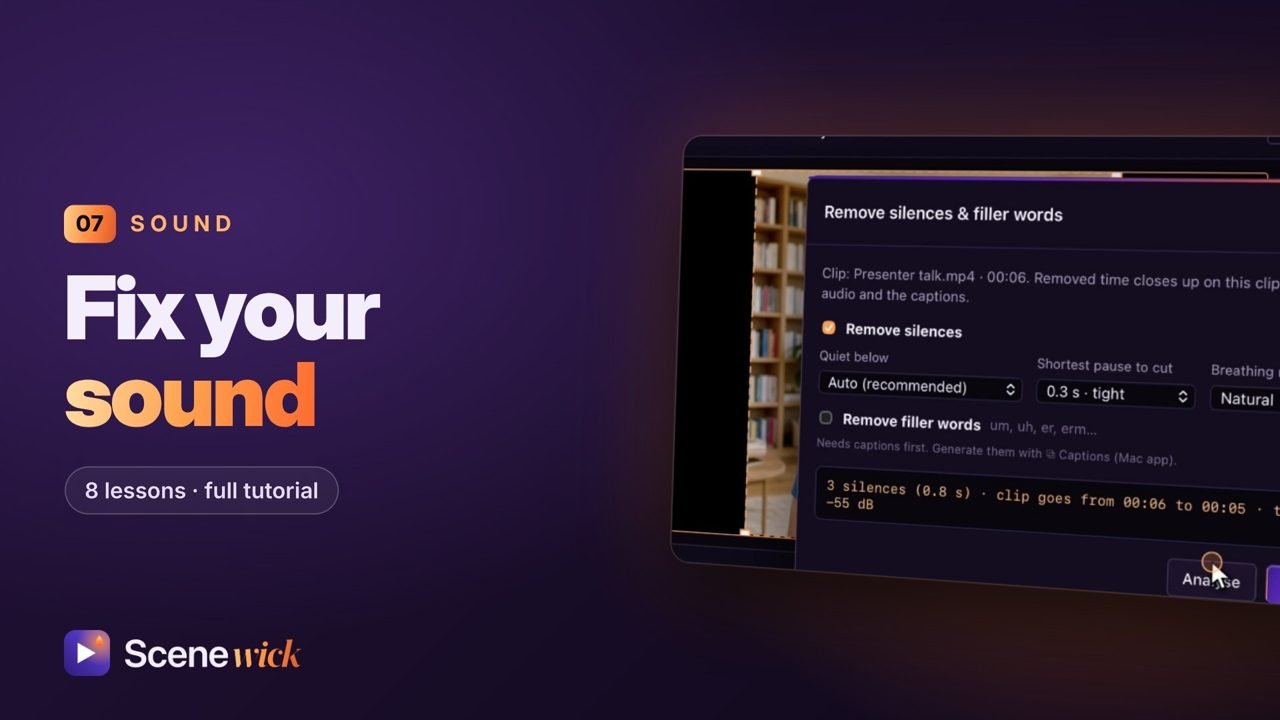
How to do it in Scenewick
- Select the talking clip.
- Click Silences above the timeline.
- Choose how long a pause must be and how much breathing room to keep, press Analyse to preview the cuts, then Cut them. (To find filler words too, make captions for the clip first.)
Scenewick is a video editor for Mac: no subscription, no account, and everything runs on your Mac, so your videos never leave it.
Get Scenewick for Mac
Coming soon to the Mac App Store: get an email the day it’s out, with a 14-day free trial of everything.
More in sound
- How to separate audio from a video on Mac
- How to change the volume of a video and fade the sound on Mac
- How to make all the voices in a video the same volume on Mac
- How to add background music to a video on Mac (royalty-free)
- How to crossfade audio between video clips on Mac
Every how-to · All the video lessons. The video is narrated by an AI voice, and the presenter in the demo footage is AI-generated.