
Coming soon to the Mac App Store
Scenewick press kit
Everything you need to write about Scenewick: the facts, descriptions you can copy, screenshots and logos. Use any of it freely. Questions, interviews or review access: hello@scenewick.com.
At a glance
| Product | Scenewick, a video editor for Mac |
|---|---|
| Say it | Like “scenic” |
| Developer | Novanix Ltd, a small British company in Dorset |
| Availability | Coming soon to the Mac App Store |
| Launch date | To be announced. Sign up at scenewick.com to hear the day it’s out. |
| Price | Free to download, with a 14-day free trial of every Pro feature. Scenewick Pro is one in-app purchase of £49.99 (UK price, including VAT; other countries at the matching App Store price). No subscription. |
| Free version | The full editor, keyframe animation, emoji stickers and automatic captions in a clean style included. Exports up to 4K with no watermark, thumbnails too |
| Requires | macOS 26 or later, on a Mac with Apple silicon |
| Account | None. No sign-up, no payment details for the trial |
| Privacy | Everything runs on the Mac, and footage is never uploaded. No analytics, no tracking, no ads. App Store privacy label: Data Not Collected |
| Website | scenewick.com |
| Tutorials | scenewick.com/learn and the Scenewick YouTube channel |
| Press contact | Mark, founder · hello@scenewick.com |
About Scenewick
In one line
Scenewick is a video editor for Mac with pro-level tools at a fair, one-off price. No ongoing subscription, just good value software for creators ready to move beyond the basics.
In a paragraph
Scenewick is a Mac video editor for people ready to move on from basic editing apps without signing up to a monthly bill. It puts pro-level tools, including AI background removal, automatic captions, Auto Edit, a thumbnail maker and 4K export, into an editor that is easy to pick up, and everything runs on the Mac itself. Try every feature free for 14 days; Scenewick Pro is then a single purchase of £49.99, yours to keep.
Longer
Scenewick started with a simple frustration. The step up from a basic video app has turned into a monthly bill. The editors and AI tools that creators graduate to are increasingly rented rather than bought, and many of them upload your footage to do their work. For someone making their first YouTube videos, Shorts or business clips, that is a lot to keep paying for features they are only just learning to use.
Scenewick is the alternative: good value software with pro-level features, made for people moving up from basic tools. The editor stays approachable, with a clear timeline, one-click looks, built-in music and step-by-step guides, while adding the things that make a video look professional: background removal without a green screen, word-by-word captions, Auto Edit for a fast first cut, auto reframe for Shorts and Reels, and a thumbnail maker. It all runs on the Mac itself, so there is nothing to rent and nothing leaves the machine.
Scenewick is free to download. Every Pro feature is unlocked for a 14-day trial, with no account and no payment details; afterwards the free version carries on as the full editor, exporting up to 4K with no watermark. Scenewick Pro is one in-app purchase of £49.99, with no subscription and no renewals. It requires macOS 26 or later, on a Mac with Apple silicon.
Scenewick is made by Novanix Ltd, a small British company in Dorset, around a simple idea: pay once for Pro, and the version you buy keeps working on your Mac for as long as macOS supports it.
Free and Pro
Scenewick
Free
- The full editor: timeline, titles, transitions, keyframe animation, colour, speed, green screen, screen recording, music and emoji stickers
- Automatic captions from speech, your script or a subtitle file, in a clean style
- Exports up to 4K with no watermark, thumbnails too
- Every Pro feature during the 14-day trial
Scenewick Pro
£49.99 once
- AI background removal, no green screen
- Caption styles: each word lighting up, boxes, fonts and colours
- Auto Edit: a first cut made from your footage
- Thumbnail subject cut-out
- Auto reframe for vertical and square versions
- Inserting one project into another
- One payment, yours to keep: no subscription, no renewals, on all your Macs
Pro is an in-app purchase through the Mac App Store. Requires macOS 26 or later, on a Mac with Apple silicon. For what other editors cost over two years, see the price comparison.
Features
AI that runs on the Mac
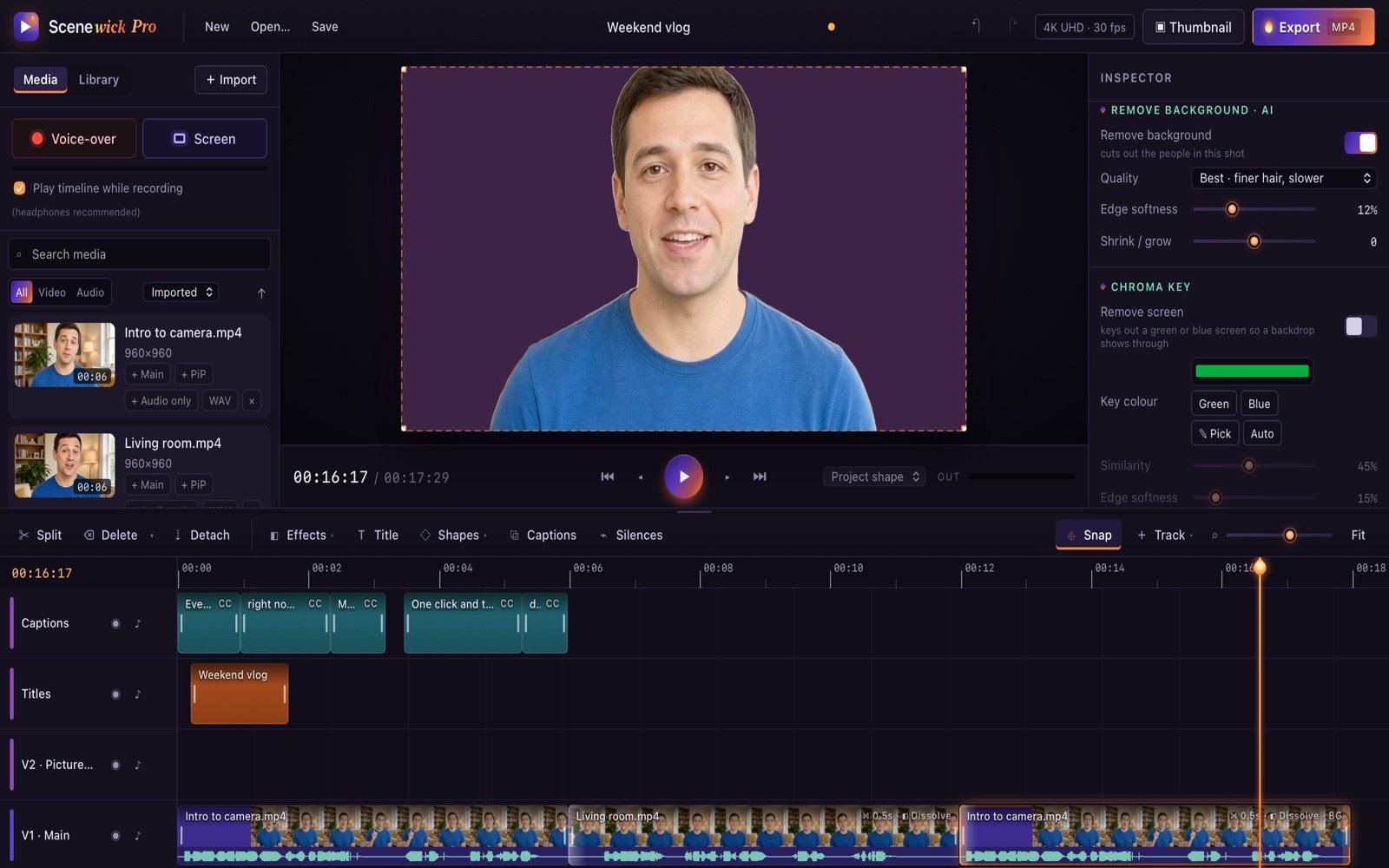
- Background removal with no green screen: people are lifted out frame by frame and put on a colour, a photo or another video Pro
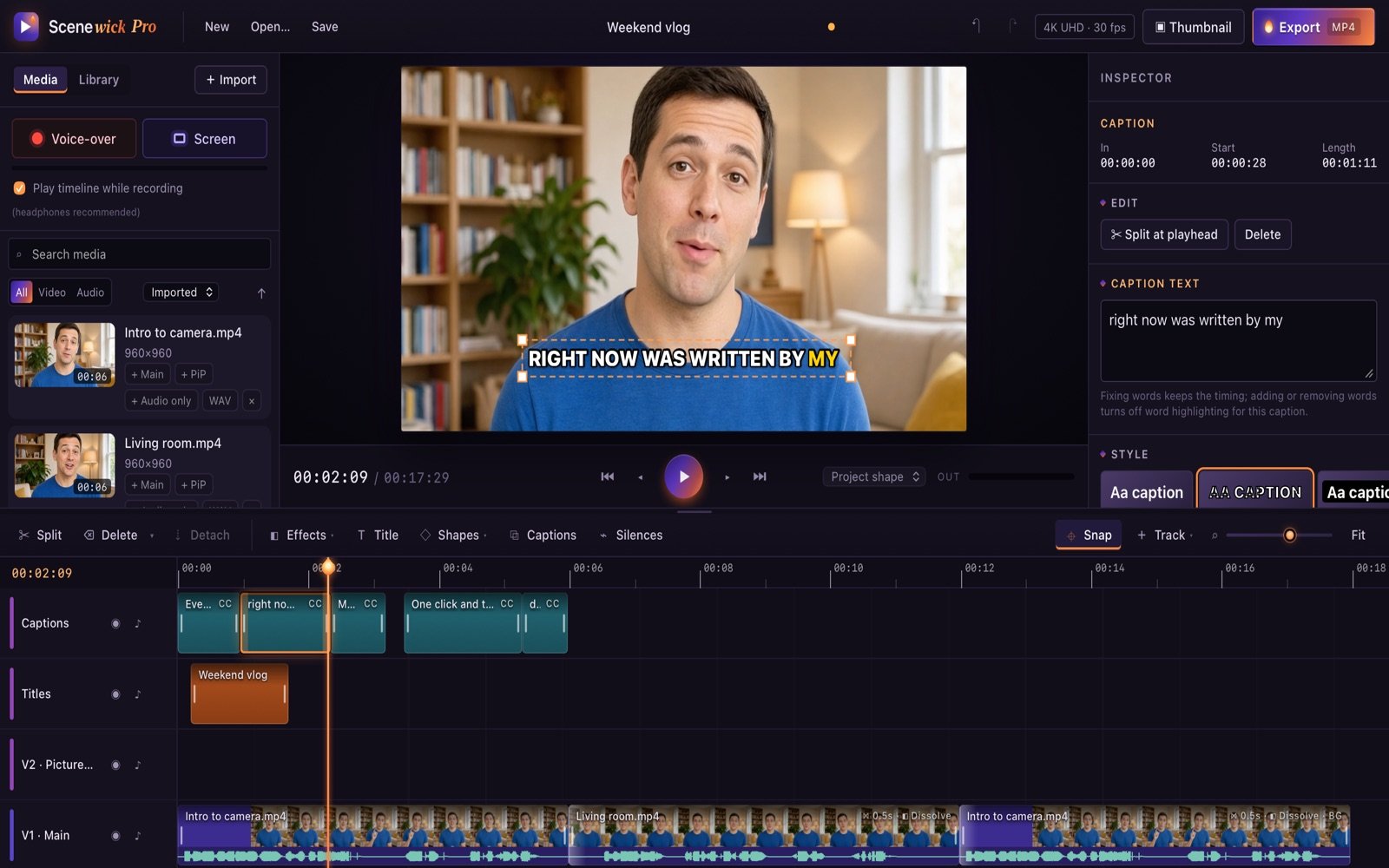
- Captions from speech in dozens of languages, or your exact script timed to the speech; import .srt and .vtt, export .srt (free; caption styles with each word lighting up are Pro)
- Auto Edit: takes out retakes, ums and long pauses and builds a first cut, without ever cutting a word in half; with Apple Intelligence on, it judges lines by what they say. No plug-ins or API keys Pro
- Auto reframe: vertical and square versions keep the people in each shot centred Pro
- Thumbnail maker: a contact sheet of your best expressions from the video (or a new webcam photo), popped out over any background, which you can blur, zoom and move, with its own subject kept sharp; outline, glow and a bold headline (cut-out is Pro)
- Cut silences and filler words in one go
- Voice isolation, and music that ducks automatically under speech
Editing
- Several video and audio tracks, picture-in-picture, and full-frame cutaways that keep the sound in sync
- Split, trim, ripple delete, copy and paste, and undo for everything
- 10 transitions and audio crossfades
- Colour adjustments and 11 one-click looks
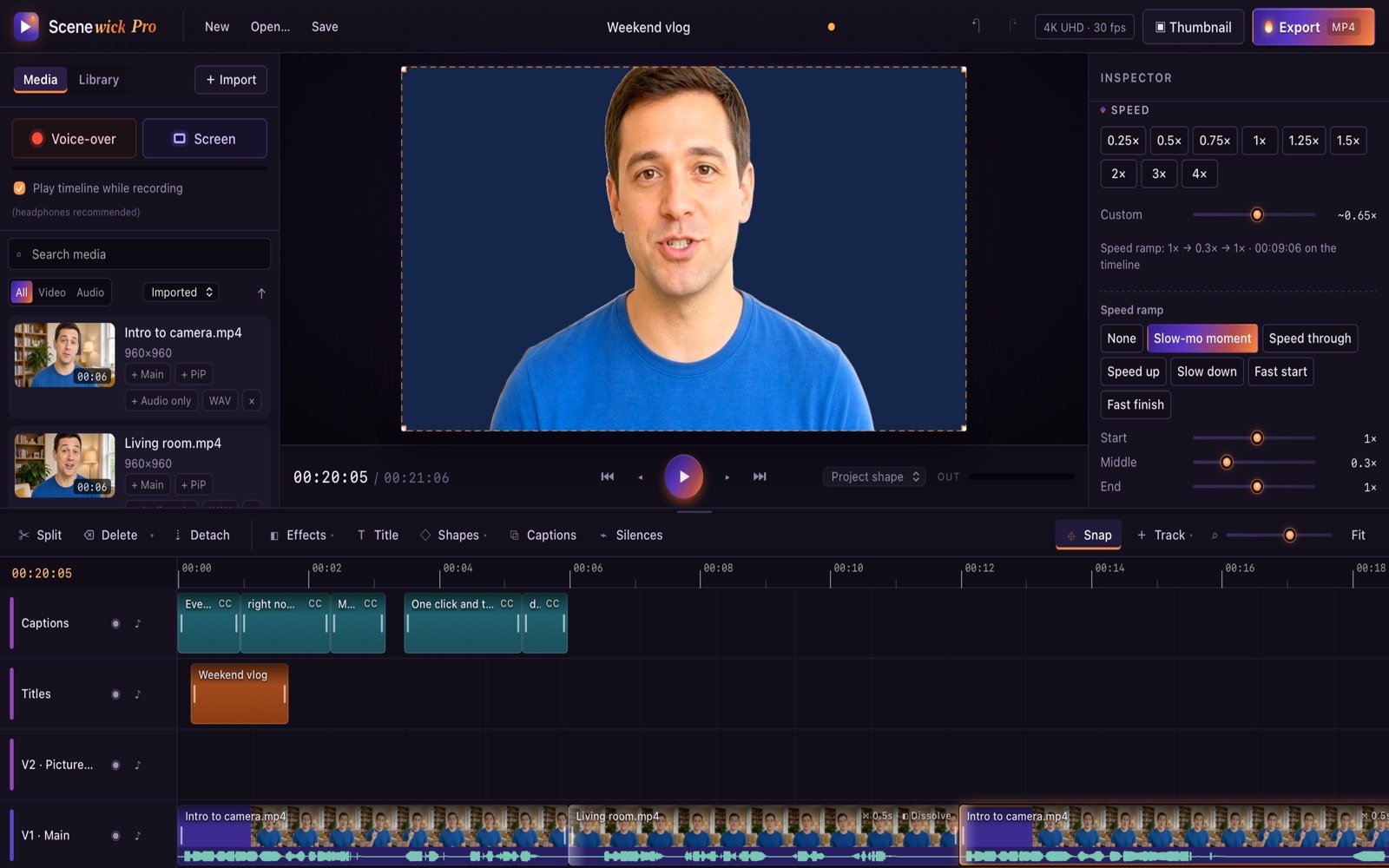
- Speed from 0.25× to 4×, speed ramps, freeze frames and reverse
- Keyframe animation of position, size, rotation and opacity; zoom, slow pans and glides
- Animated titles, lower thirds, shapes and emoji stickers
- Green-screen (chroma) keying
Record
- Screen recording with a round webcam bubble and your microphone, straight onto the timeline
- Voice-over recorded while you watch the edit
Music and sound
- 16 music tracks and 21 sound effects included, free to use in your videos, including commercial ones
Export
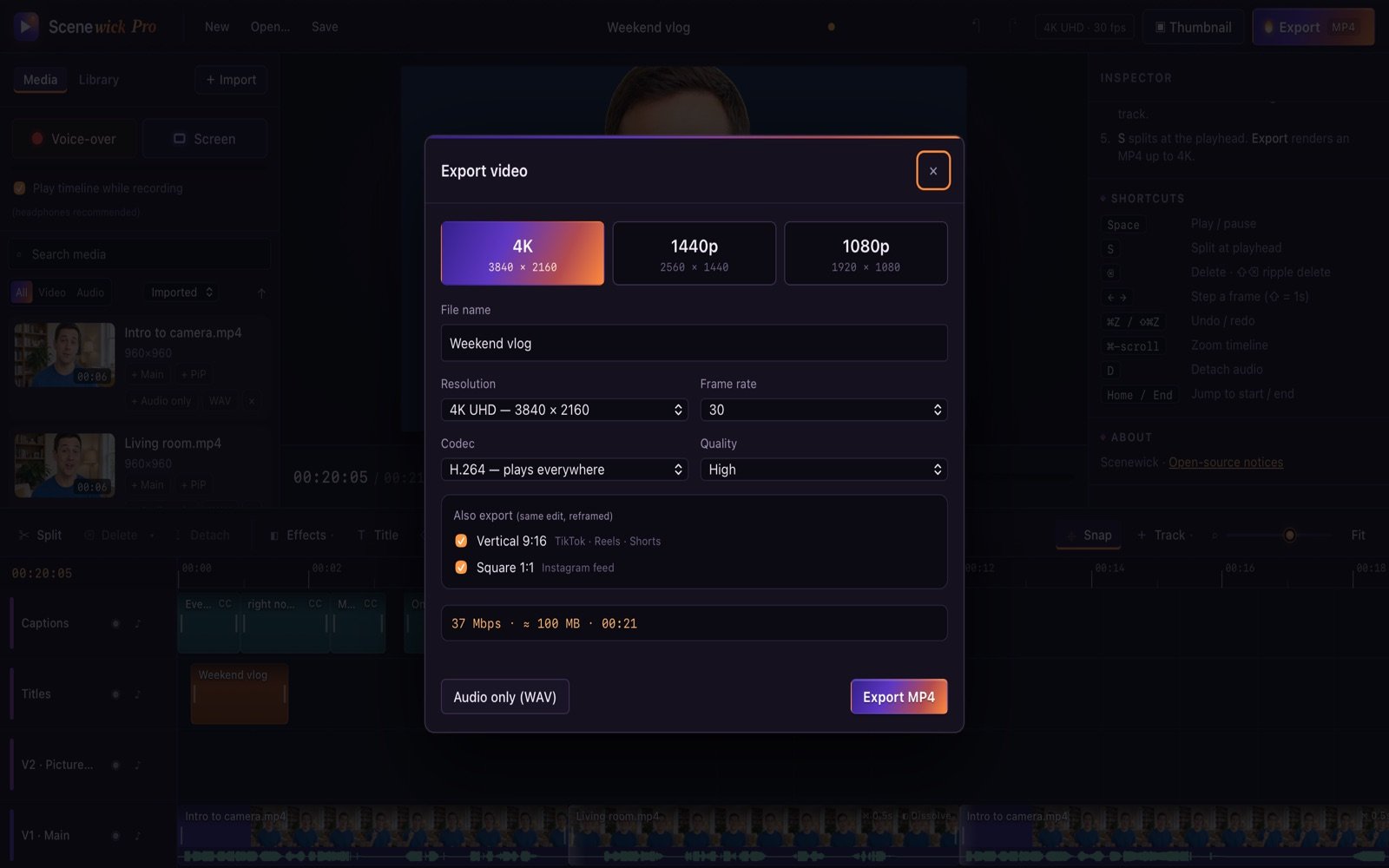
- Up to 4K, H.264 or HEVC, 24 to 60 fps. Free exports have no watermark at any size
- Landscape, vertical (9:16) and square (1:1) versions in a single export, cropped to follow the action or showing the whole shot over a blurred copy of itself
- Audio-only WAV
Coming next
This is what we're working on next. Plans can change, and we don't give dates until something is ready.
- Colour wheels and curves: finer colour control, alongside the one-click looks
- LUT import: your own .cube looks, or your camera maker's LUT for log footage
- Custom keyboard shortcuts: change any key, or start from a Final Cut Pro or Premiere Pro layout
- Stabilisation: smooth out shaky handheld footage
- A bigger music and sound effects library: more tracks and effects in more styles, still free to use in your videos, commercial ones included
- Smart framing: vertical and square versions crop in when the subject fits, and show the whole shot when the action is wide
- Import from Final Cut Pro and DaVinci Resolve: bring a project across as FCPXML and keep editing
- Publish pack: one click at export writes every version, the thumbnail, the subtitle file and a suggested title, description and chapters
From the founder
“A Mac is more than powerful enough to cut out a background or write captions on its own, so why should that come with a monthly bill and an upload bar? Scenewick does it all on your Mac. You pay once, and your footage stays yours.”
Screenshots
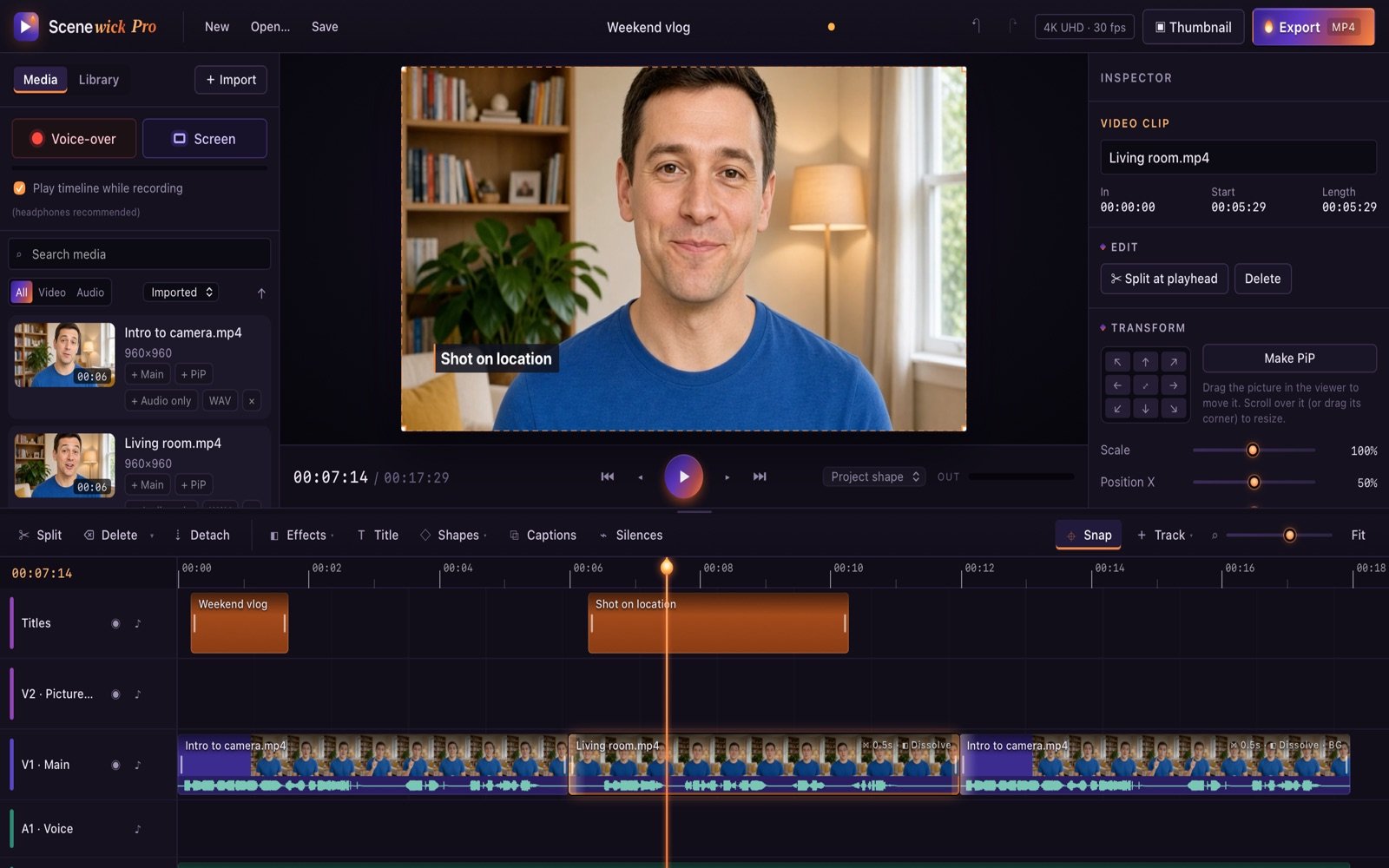
Click a screenshot for the 1600-pixel version. The zip has them full size (2880 × 1800). The people in our screenshots and demo videos are AI-generated, not real customers.

Logos
Please don’t change the logo’s colours or proportions. “Scene” is set in SF Pro and “wick” in New York italic, with the ember gradient.
 Logo, for dark backgrounds
 Logo, for light backgrounds
 Wordmark, for dark backgrounds
 Wordmark, for light backgrounds
 The mark on its own (PNG)
 The mark on its own (SVG)
 The Mac app icon
Video
Ten short videos show every part of Scenewick in action: watch them on the Learn page or the Scenewick YouTube channel. The narration is an AI voice, and the presenter in the demo footage is AI-generated.
Review access and contact
TestFlight before launch, and free Pro access at launch, for reviewers, journalists and creators. Email hello@scenewick.com and say where you publish.
About Novanix Ltd: Novanix Ltd is a small British software company in Dorset. Scenewick, its video editor for Mac, puts pro editing tools on the Mac itself, with no subscription and no cloud service.
Novanix Ltd. Registered in England and Wales, company number 16194488. Registered office: Unit 13 Freeland Park, Wareham Road, Lytchett Matravers, Poole, BH16 6FA. Apple, Mac, macOS and App Store are trademarks of Apple Inc. Scenewick is not affiliated with or endorsed by Apple.